
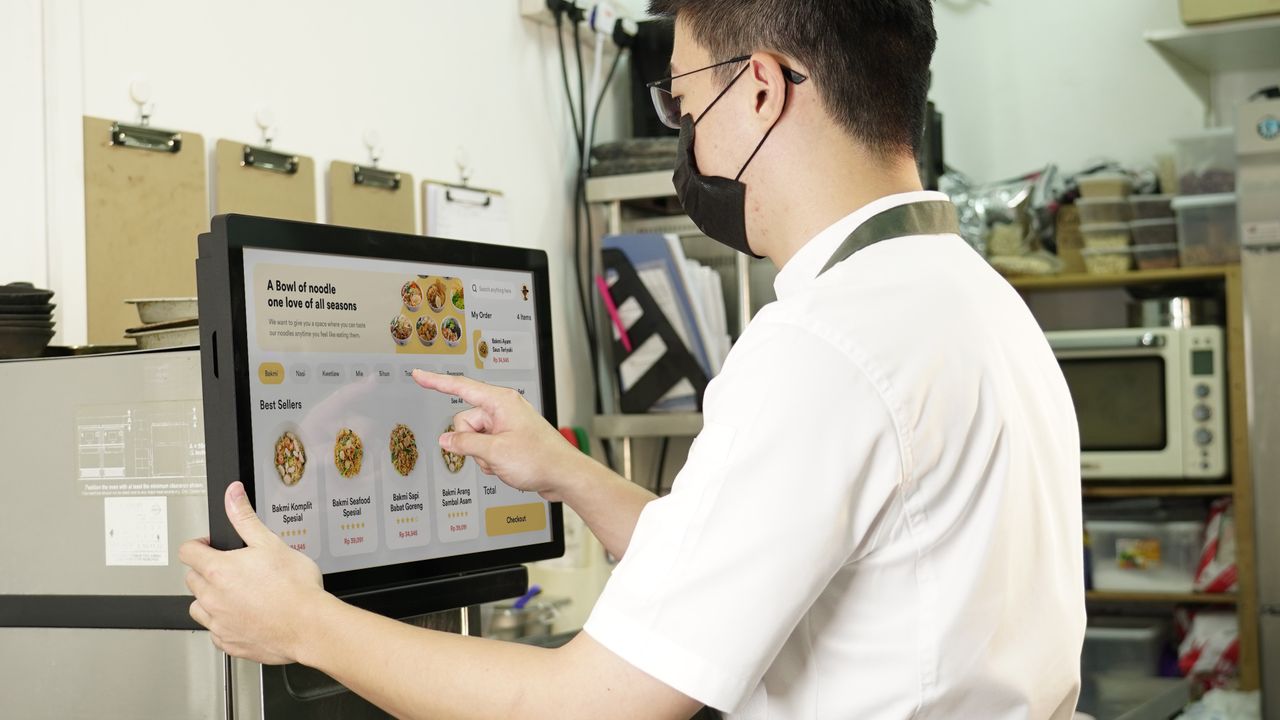
A systems integrator inherits a production line with a WinForms application last compiled in 2014. The customer wants a 10-inch panel on the wall for the operator station, and the question lands in your inbox: does our app run on the Android panel you quoted, or do we need Windows? That single question shapes the budget, the hardware and the delivery date. Here is the comparison we walk customers through, and a checklist to run before you commit to an industrial panel PC operating system.
Start from the code you already have
Most industrial software of the past two decades targets Windows. .NET Framework, WinForms, WPF, MFC, Delphi frontends, vendor DLLs for PLC protocols, dongle-based licensing. None of it runs on Android as-is. Moving that code means a rewrite in Kotlin or Java, or a port to a cross-platform framework such as Qt, and then every PLC connection gets retested on new hardware. A 40-screen SCADA client can easily consume months. If the Windows build still works and will keep working, staying on Windows protects that asset.
Android flips the picture when the interface is new. Android Studio, Kotlin, Jetpack Compose for touch UI, WebView hybrids for teams with existing web assets. The developer pool is deep, touch behaviour is native to the platform, and a first clickable prototype tends to appear in days rather than weeks.
Licensing, and what it does to unit cost
AOSP carries no per-unit license fee. Windows does. A panel that runs Windows needs Windows IoT Enterprise, usually an LTSC build, licensed per device with activation handled at the factory. On a 500-unit rollout the license line is real money. On a 15-unit pilot it barely registers. Price both ways before you commit; volume changes the answer.
There is a hardware coupling too. Desktop Windows runs on x86 processors (a Windows-on-ARM edition exists, but x86 application compatibility is usually the reason a project wants Windows in the first place). Most low-power HMI panels, ours included, are built on ARM SoCs such as the Rockchip RK3568 or Allwinner A133P and ship with Android. Choosing Windows narrows the board to x86, which typically means higher power draw and a higher unit price. Choosing Android keeps the standard panel range open.
Boot behaviour and OS maintenance
An Android panel boots straight to the launcher, starts your application on power-up, and locks into kiosk mode if you let it. Updates are yours to schedule: you ship one tested image, push it by USB, Ethernet or MDM, and the operator never meets a system dialog at 6 a.m.
Windows patches on its own schedule unless you take control. LTSC builds reduce feature churn and stretch support to roughly ten years per release, which is why plant IT departments like them. Patches still need a maintenance window, disk images still need an owner, and an unattended reboot mid-shift is a real risk if nobody planned for it.
Neither OS is real-time. When a spec sheet calls for deterministic response in single-digit milliseconds, that job belongs to a PLC. The panel remains what it should be: a visualization and input layer.
Building and maintaining the UI
Windows gives you desktop-grade tooling: Visual Studio, WinForms or WPF, a large component market, multi-window layouts, keyboard and mouse alongside touch. Android is touch-first. Large hit targets, gesture support and single-app focus are defaults, which suits a wall-mounted terminal. The trade-off sits at the BSP level: Android versions track what the SoC vendor maintains, so plan to freeze on a tested image instead of chasing OS upgrades. On Windows, application compatibility across versions is more forgiving; the OS itself simply changes more often.
Side by side
| Dimension | Windows (IoT Enterprise) | Android |
|---|---|---|
| License | Per-device fee, activation managed by the OEM | Free (AOSP) |
| Hardware fit | x86 boards, higher power draw and unit cost | ARM SoCs, standard low-power panels |
| Existing code | Runs legacy .NET and Win32 software unchanged | New build or a port required |
| Boot and updates | Slower boot; patch windows must be planned | Fast boot, auto-start, image-level updates |
| UI tooling | WinForms/WPF, multi-window desktop patterns | Kotlin and Compose, touch-first patterns |
| Best fit | Heavy client software, engineering workstations | Dedicated touch terminals, kiosks, controllers |
Which projects suit which
Windows suits the heavy end: SCADA and MES clients, machine vision suites, legacy .NET applications, an engineering station beside the line. The code exists, the license fits the budget, and x86 hardware is part of the plan.
Android suits the dedicated terminal: room controllers, self-service kiosks, thermostats, dashboard panels, anywhere the touch interface is the product. Unit cost stays low, boot behaviour is predictable, and a 10-inch panel covers most of these jobs. Plenty of projects use both. An Android panel on the wall for operators, a Windows box in the cabinet doing computation. They share the network already; the panel shows, the PC calculates.
A checklist before you sign anything
- Existing code: which OS does it target, and does a port fit the schedule?
- Volume: what does the per-device license cost at 15 units versus 500?
- Hardware: does the board road map survive the OS choice, x86 or ARM?
- Power events: after a cut, what boots, in what order, and how fast?
- Ownership: who applies OS patches for the next five years, and when?
- Scope of the panel: visualization only, or computation too?
Where our panels sit
Our S, P, M and B series ship with Android as standard on ARM SoCs. For a dedicated terminal, the B S1 10.1" Touch Panel PC and B H1 10.1" are the economical 10-inch options. The P M1 10.1" comes in RK3568, RK3288 and A133P variants; the part number names the SoC before you ask. For dashboards read from across the room, the P X2 21.5" Smart Control Panel buys screen area. If your project needs Windows, say so early. The OS and the board should be chosen together, and OS availability varies by model. If your fork in the road is Android versus embedded Linux instead, we covered that in a separate article: Android vs Linux for Industrial HMI.
Not sure which OS fits your project? Send us your requirements and get a quote in 24 hours: request a quote.
Ready to start your HMI project?
Our engineers help you choose the right HMI hardware and software for your project.